How to Choose Event Management Software in 2026
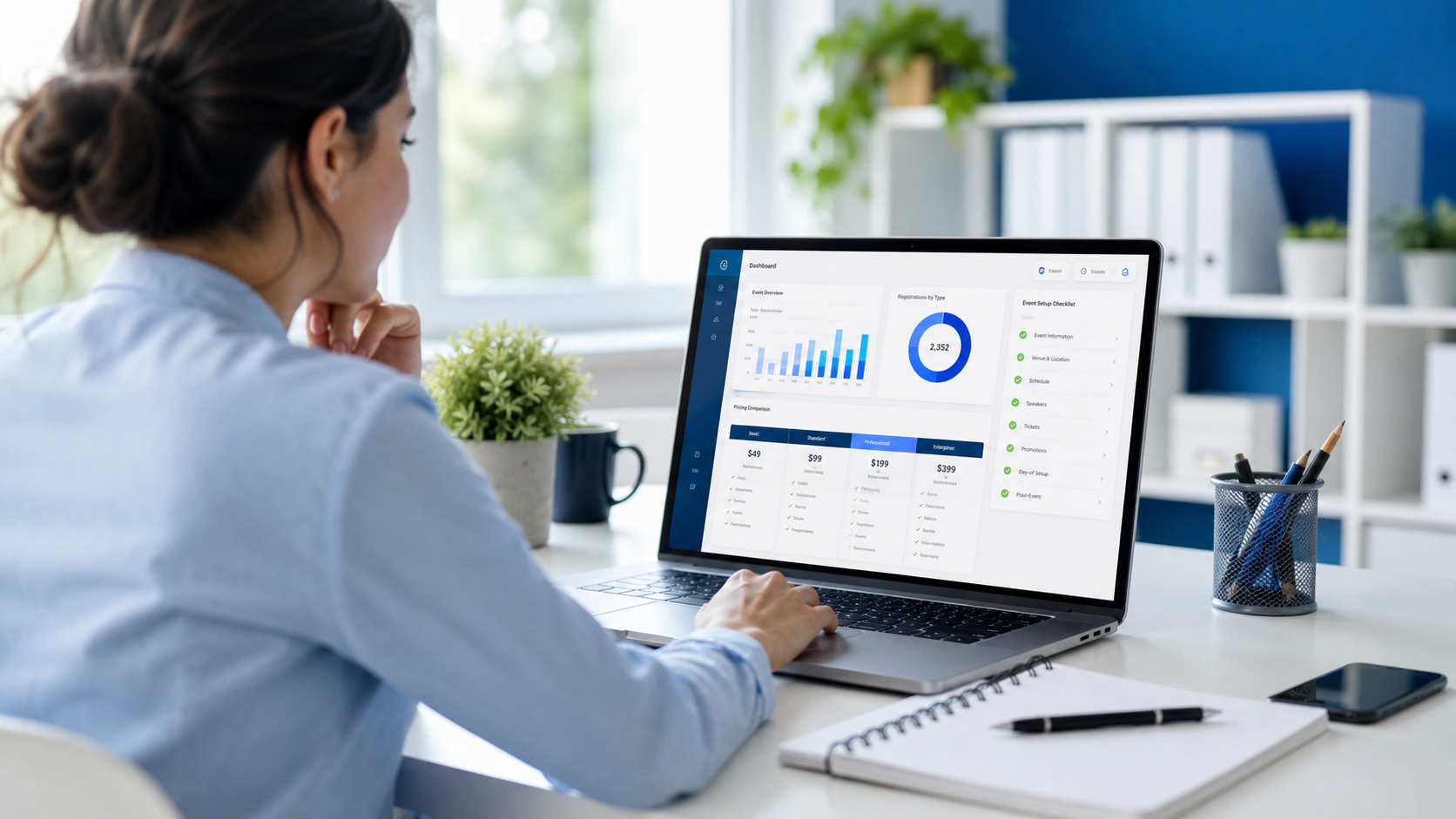
Choosing event management software used to be a feature hunt. In 2026, it is a business decision that affects registrations, attendee engagement, sponsor value, reporting accuracy, team efficiency, and profit margins. Professional organizers are no longer buying a simple registration tool. They are evaluating a platform that can support the full event lifecycle, unify data across teams, automate repetitive tasks, and scale across in-person, virtual, and hybrid experiences.
If you are comparing vendors right now, the challenge is not finding options. It is narrowing them down. Many platforms promise an all-in-one solution, but their real strengths, support models, integration depth, and total cost can vary widely. A polished demo can hide operational gaps that only appear once your team is under deadline pressure.
This step-by-step buyer checklist will help you evaluate event management software with a practical lens. You will learn how to define your requirements, compare features that matter, assess implementation risk, and estimate total cost of ownership before signing a contract. If you want a broader overview of platform capabilities, start with EventForge’s complete guide to event management software and then use the checklist below to structure your shortlist.
Why choosing the right platform matters more in 2026
The event industry has become more data-driven, more integrated, and more outcome-focused. Organizers are expected to do more than launch registration pages and print badges. They need to prove ROI, personalize attendee journeys, support sponsor goals, and move quickly across multiple events without rebuilding every workflow from scratch.
Several trends are shaping software evaluation in 2026:
- Higher attendee expectations: People expect smooth registration, mobile-first communications, fast check-in, and relevant event content.
- Lean teams: Event professionals need automation and centralized workflows to deliver more with fewer manual steps.
- Pressure to prove value: Leadership teams want cleaner reporting on pipeline, attendance, engagement, and revenue impact.
- Integration needs: Event data must connect with CRM, marketing automation, finance, and analytics systems.
- Security and compliance concerns: Data privacy, permission controls, and reliability are no longer optional.
According to research often cited by organizations such as PCMA, Cvent, and Bizzabo, event teams consistently rank attendee experience, operational efficiency, and measurable outcomes among their top priorities. The right software can support all three. The wrong software creates hidden labor, workarounds, and missed opportunities.
A step-by-step 2026 buyer checklist for event management software
Step 1: Define your event portfolio before you compare platforms
Do not start with vendor websites. Start with your event model. The best event management software for a single annual conference may not be the best fit for an agency, association, corporate field marketing team, or organizer running dozens of repeatable events.
Document the following:
- The types of events you run: conferences, trade shows, roadshows, networking events, webinars, training sessions, awards, or hybrid events
- Your annual event volume
- Average and peak attendee counts
- Whether events are recurring or one-off
- Your ticketing complexity: free, paid, tiered, discount codes, group registration, approvals
- Your sponsor and exhibitor requirements
- Your onsite needs: badge printing, session scanning, lead capture, check-in
- Your post-event reporting and ROI expectations
This exercise keeps your selection grounded in reality. A platform with advanced capabilities may still be the wrong choice if those capabilities do not align with your event mix or team capacity.
Buyer tip: Build a simple requirements matrix with “must-have,” “nice-to-have,” and “not needed” columns. This prevents demo-stage feature overload from distracting your team.
Step 2: Clarify your business goals and success metrics
Software selection becomes easier when you know what success looks like. Ask stakeholders what problems the new platform must solve in the next 12 to 24 months.
Typical goals include:
- Increase registrations and attendance rates
- Reduce manual admin work
- Improve attendee engagement before, during, and after events
- Consolidate multiple tools into one platform
- Speed up event launches with reusable templates
- Improve sponsor reporting and lead tracking
- Connect event data to sales and marketing systems
- Standardize reporting across the portfolio
For each goal, define one or two measurable KPIs. For example, reducing registration setup time by 40%, increasing check-in speed, or improving post-event survey response rates. When you compare event management platforms, score them against the outcomes you actually need, not just their feature lists.
Step 3: Identify all users and workflows
One of the most common buying mistakes is evaluating software only from the organizer’s perspective. In reality, the platform must work for multiple user groups:
- Event marketers building campaigns and registration journeys
- Event managers handling logistics and timelines
- Onsite staff checking in attendees and printing badges
- Sales teams capturing leads and meeting prospects
- Sponsors and exhibitors accessing portals and reports
- Finance teams reviewing payments, invoices, and reconciliation
- Executives looking at dashboards and ROI reports
Map the workflows each group needs. Then ask vendors to show those workflows specifically. A generic demo is not enough. You want to see how your actual process would run inside the system.
Step 4: Compare core event management software features
Now you can move into feature evaluation. Focus first on the foundation. If the basics are weak, advanced extras will not save the experience.
Registration and ticketing
- Custom registration forms with conditional logic
- Multiple ticket types, promo codes, bundles, and approvals
- Waitlists, capacity limits, and session selection
- Branded registration pages optimized for mobile
- Payment processing and tax handling where relevant
- Automated confirmation emails and reminders
Agenda and session management
- Multi-track agenda creation
- Speaker management and session assignments
- Capacity controls for breakouts and workshops
- Session updates that sync across web and mobile views
Attendee engagement tools
- Event app or mobile-responsive attendee experience
- Networking features, messaging, and meeting scheduling
- Live polls, Q&A, surveys, and feedback collection
- Personalized agendas and content recommendations
Onsite operations
- Fast check-in with QR codes or search
- Badge printing and reprinting
- Session scanning and attendance tracking
- Offline capability in case internet access fails
Communications and event marketing
- Email campaigns and segmentation
- Audience targeting based on behavior or registration status
- Landing pages and campaign tracking
- Reminder sequences and post-event follow-up automation
If you want to compare these capabilities in one place, review the platform details and module breakdown on EventForge’s features page.
Step 5: Evaluate integrations, data flow, and reporting depth
In 2026, standalone software creates friction. Your event management software should not trap data in a silo. It should help your team move information cleanly between systems and turn activity into usable insight.
Key integration questions include:
- Does the platform integrate with your CRM, marketing automation, and finance tools?
- Are integrations native, partner-built, or dependent on middleware?
- How often does data sync?
- Can field mappings be customized?
- How are duplicates handled?
- Can attendee, sponsor, and engagement data be exported easily?
Reporting matters just as much as integration. Ask vendors to show standard dashboards and custom reporting options. Strong reporting should help you answer questions like:
- Which channels drove the most registrations?
- What was the show-up rate by audience segment?
- Which sessions had the highest engagement?
- How many leads did sponsors or exhibitors capture?
- What revenue came from tickets, sponsorships, or add-ons?
- How did this event perform compared with prior events?
Do not accept vague claims about analytics. Request real examples of dashboards, export formats, and executive summaries.
Step 6: Review automation and scalability
As your program grows, software should reduce operational load, not increase it. That is why automation and repeatability deserve their own evaluation step.
Look for:
- Reusable event templates
- Automated email workflows
- Role-based permissions for distributed teams
- Bulk editing tools
- Reusable sponsor, exhibitor, and speaker workflows
- Task management or approval flows
- Multi-event dashboards for portfolio visibility
Ask yourself an important question: Can this platform support the way we will work next year, not just the way we work today? If your team plans to scale event volume, expand into hybrid formats, or standardize across regions, future readiness matters.
Step 7: Assess usability and adoption risk
The most feature-rich platform can still fail if your team avoids using it. Ease of use has a direct effect on adoption, setup time, data quality, and long-term value.
During evaluation, test for:
- Clarity of the admin interface
- How many steps are required for common tasks
- Whether non-technical users can make updates independently
- The attendee experience on mobile devices
- The sponsor or exhibitor portal experience
- Accessibility considerations for different users
Whenever possible, ask for a sandbox or trial workflow instead of relying only on a guided demo. Real hands-on testing reveals friction that sales presentations often smooth over.
Buyer tip: Have at least three roles test the platform: one marketer, one event operations lead, and one onsite user. Their pain points will be different, and each perspective matters.
Step 8: Investigate implementation, onboarding, and support
Buying software is only the beginning. The success of the rollout often depends on how the vendor handles onboarding, training, migration, and ongoing support.
Ask vendors:
- What does implementation include?
- How long does typical onboarding take?
- Will we have a dedicated success manager?
- What training is available for admins and temporary event staff?
- How is support handled during live event hours?
- What are the support response times by plan tier?
- Is data migration included, and what format is required?
This is where vendor experience and service quality matter. A strong support team can help you avoid expensive mistakes, especially around launch deadlines and onsite operations. E-E-A-T principles apply here: choose a vendor that demonstrates real expertise, transparent processes, and dependable execution.
Step 9: Compare security, privacy, and reliability
Event teams handle personal data, payment details, attendance records, and sometimes sensitive business information. Your buyer checklist should include a basic security and compliance review.
Questions to include:
- What security certifications or standards does the vendor follow?
- How is attendee data stored and protected?
- Are there role-based access controls and audit trails?
- How does the vendor support privacy compliance requirements?
- What is the uptime commitment?
- Is there disaster recovery and backup documentation?
If you work with enterprise clients, associations, or regulated industries, these answers may directly affect approval timelines.
Step 10: Calculate total cost of ownership, not just sticker price
This is where many buyers make the wrong comparison. A lower subscription fee does not always mean lower total cost. Likewise, a higher-priced platform can deliver better value if it replaces multiple tools, reduces labor, and improves event performance.
When reviewing event management software pricing, include these cost categories:
- Platform subscription fees: annual license, usage tier, or event-based pricing
- Implementation costs: onboarding, setup, migration, configuration
- Training costs: admin enablement, onsite staff training, refresher sessions
- Add-on modules: mobile app, onsite badge printing, sponsor tools, advanced reporting
- Payment processing fees: ticketing transaction costs
- Integration costs: native connectors, API work, middleware, or developer time
- Support fees: premium support, event-day support, SLA upgrades
- Internal labor costs: manual workarounds, duplicate data entry, reporting cleanup
Use a 12-month and 24-month view. This gives you a more accurate comparison between platforms with different pricing models. If you are budgeting now, EventForge’s pricing page can help you frame cost expectations and understand what should be included in a modern platform quote.
Step 11: Use a weighted scorecard to compare vendors fairly
After demos, references, and pricing reviews, bring the process back to a structured decision. A weighted scorecard helps eliminate bias and keeps the team aligned.
Create categories such as:
- Core features
- Ease of use
- Integrations
- Reporting
- Onsite functionality
- Attendee engagement
- Implementation and support
- Security and compliance
- Total cost of ownership
- Scalability
Assign a weight to each category based on its importance. For example, an organizer running large in-person conferences may give higher weight to onsite operations and badge printing. A field marketing team may prioritize speed, repeatability, and CRM integration. Score each vendor on the same scale, then compare totals along with key trade-offs.
Step 12: Ask smarter demo questions
A good demo should reduce uncertainty. Too often, buyers ask broad questions and receive polished but generic answers. Use scenario-based questions instead.
Examples:
- Show us how to create a branded registration page for a paid event with discount codes and approval-based VIP registration.
- Show us what happens if a session reaches capacity and an attendee joins a waitlist.
- Show us how onsite check-in works during a network outage.
- Show us how sponsor leads are captured and reported after the event.
- Show us how event data syncs to a CRM record and how errors are flagged.
- Show us how a non-technical user edits confirmation emails and reminders.
The more realistic the demo, the easier it becomes to identify strengths and gaps.
Red flags to watch for when comparing event management platforms
Not every issue appears in a pricing sheet. Watch for these warning signs during evaluation:
- Vague pricing: critical modules or support costs appear only late in the sales process
- Feature bundling confusion: core capabilities are marketed prominently but sold as expensive add-ons
- Weak reporting: dashboards look attractive but lack useful filters or export flexibility
- Limited support coverage: no meaningful help during live event windows
- Poor mobile experience: attendee journeys feel clunky on phones
- Unclear roadmap: the vendor cannot explain how the platform is evolving
- Over-customization dependency: simple use cases require services work or developer support
Any one of these may not be a deal-breaker, but several together usually signal risk.
A practical shortlist framework for final selection
If your team is stuck between two or three strong options, use this final filter:
- Best fit for your event model: Which platform best matches your real event portfolio?
- Best operational efficiency: Which one saves the most time across setup, promotion, onsite execution, and reporting?
- Best attendee and sponsor experience: Which one helps you create smoother, more engaging journeys?
- Best data strategy: Which one integrates cleanly and supports decision-making?
- Best long-term value: Which one offers the strongest balance of capability, service, and total cost?
The goal is not to find the platform with the longest list of features. The goal is to choose the one that your team will actually use successfully and consistently.
Why EventForge is built for modern event teams
EventForge is designed for professional organizers who need more than a patchwork of tools. From registration and event marketing to attendee engagement and reporting, the platform helps teams manage the full event lifecycle with less friction and more visibility.
If you are evaluating solutions, explore EventForge’s blog for deeper event technology insights, then compare capabilities against your own buyer checklist. Whether you are standardizing a portfolio, improving attendee experience, or looking for a more efficient way to run events at scale, a unified platform can make a measurable difference.
Conclusion: choose software that supports outcomes, not just operations
Choosing event management software in 2026 requires a broader lens than ever before. You are not simply buying registration pages or check-in tools. You are selecting infrastructure for event delivery, audience engagement, team productivity, and measurable business impact.
The smartest buying process is methodical:
- Define your event model
- Set goals and KPIs
- Map users and workflows
- Compare core features
- Review integrations and reporting
- Assess automation and scalability
- Test usability
- Validate onboarding and support
- Review security and compliance
- Calculate total cost of ownership
- Use a weighted scorecard
Follow that checklist, and you will be far more likely to choose a platform that fits both current needs and future growth.
Ready to evaluate a platform built for modern event planning, event management, attendee engagement, and event marketing? Visit /signup to start exploring EventForge, or reach out through /contact to discuss your requirements with our team.
Frequently Asked Questions
What is the most important feature in event management software?
There is no single best feature for every organizer, but the most important capabilities usually include registration, attendee management, reporting, integrations, and onsite tools. The right priority depends on your event type, team workflows, and growth goals.
How do I compare event management software pricing fairly?
Compare total cost of ownership, not just subscription fees. Include implementation, training, add-ons, payment processing, integrations, support, and internal labor required for manual workarounds.
Should I choose an all-in-one event platform or multiple specialized tools?
An all-in-one platform is often better for teams that want unified data, fewer handoffs, and simpler operations. Specialized tools may work for niche needs, but they can increase integration complexity and hidden labor.
How long does it take to implement event management software?
Implementation timelines vary by platform complexity, data migration needs, and integration requirements. Simple rollouts may take days or weeks, while enterprise implementations can take several months.
What questions should I ask in an event software demo?
Ask scenario-based questions tied to your real workflows, such as how the platform handles waitlists, approvals, onsite check-in during outages, sponsor lead capture, CRM syncs, and reporting for executives.
Ready to run better events?
Join event professionals using EventForge to plan, execute, and analyze events at scale.